

Admin
-
Posts
9,322 -
Joined
-
Last visited
-
Days Won
110
Content Type
Profiles
Forums
Gallery
Downloads
Blogs
Events
Store
Aircraft
Resources
Tutorials
Articles
Classifieds
Movies
Books
Community Map
Quizzes
Videos Directory
Posts posted by Admin
-
-
Well, it is records in two tables in the site database...one table with a row for each Airstrip Category and one table with a row for each Airstrip. Why do you ask?...It isn't public data if that is what you are asking.Sorry, I was referring to the airfields database, is that available as a kml or even just a textfile ? -
No its not, wouldn't know how to get it, does it have one? It simply uses the Google Maps API v3 but perhaps this is something that others may be able to say more on and mark it for future enhancement potential if working in with a flight planner or something elseIan, is the base kml/kmz file available for offline use ? -
Also to everyone, the Recreational Flying Google Earth Airstrips are ONLY available to registered site users so any details of your self like "Give me a ring on x if you land here and we can get together" are only seen by other registered site users and NOT the public so your privacy is protected to some extent.
It would be great if we could build the community up in this area as well...it is always good to be able to have a "friend" at an airstrip that we may drop in to
-
Chris, I have just added a link to the Cleve (YCEE) ERSA page in the description of the Airstrip so users can click details and they will be able to see a link to the ERSA for it in the description field:
Details:
http://www.recreationalflying.com/hotspots/ycee.154/
Map:
http://www.recreationalflying.com/hotspots/ycee.154/map
-
Thanks Graham...WAC etc charts are a Air Services owned format so to get the digital versions you have to pay Air Services thousands of dollars every year...you even have to, I believe, sign an agreement saything that you will maintain insurances of x million dollars for 10 years after you stop using them...or something like that.
The other alternative is that everything that is on the Air Services charts can be obtained from the public domain so using resources like GeoSciences charts and other pieces of information around you can create the same kind of charts BUT there is a bit of work initially to create them. Then to be sure you pick up on any changes that may happen, you would need to get every Air Services chart each time a new set are released and cross check them with your own...just to make sure!
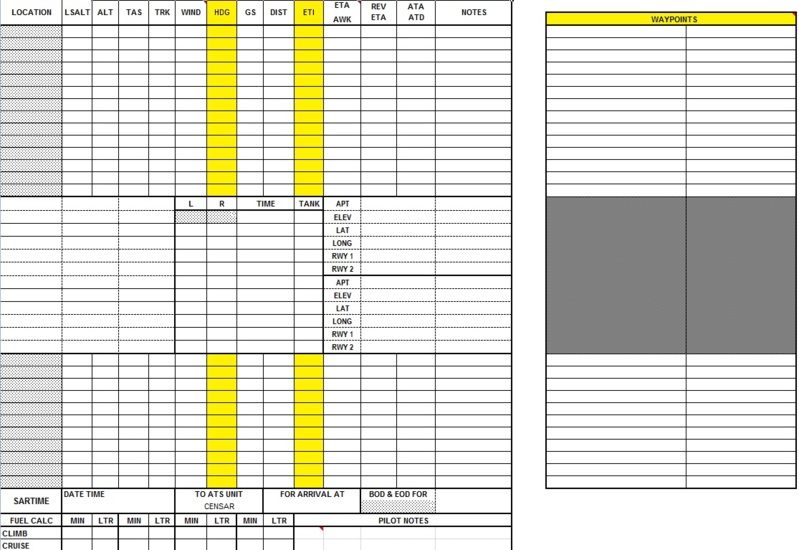
The idea I had in the improvement of the flight planner all started with the update to the Google Earth Airstrips Section. From there we update the planner to a form type of layout. Next stage is we get the planner to automatically get the weather for the weather section and apply that to the plan. The final stage would be bringing it all together that allows you to print out your flight plan that has the numbers plus is laid out over a Google Earth map. It would be a project that would end up costing a bit of money and be undertaken in steps over a period of time...that is why I wanted to know if it would all be worth it
-
Chris, the Thread URL is a link to a thread in the forums. If you have started a thread in the forums discussing the airfield, then copy the URL of it and insert it in the "Thread URL" field of the Airstrip
However, there are 2 fields that you can insert a link in:
Website
Thread URL
You could insert a link to anything in these fields. A link to the ERSA page on the Air Services web site, a link to a Social Group here on Recreational Flying etc.
Do you think I should rename the field titles to simply "Link 1" and "Link 2"?
-
Thanks Guys...I hope I didn't come across the wrong way in my post above, sorry if I did...bad night BUT, the Recreational Flying Google Airstrips Section is now up and running so just looking for my next project and was testing the water to see if I should get the current flight planner improved or not...if not, what other components do you think would be useful, to you, to have on the site?
-
Hi All
Well, FINALLY we have an updated Google Earth Airstrips Section of the site.
NOTE: ONLY AVAILABLE TO REGISTERED SITE USERS
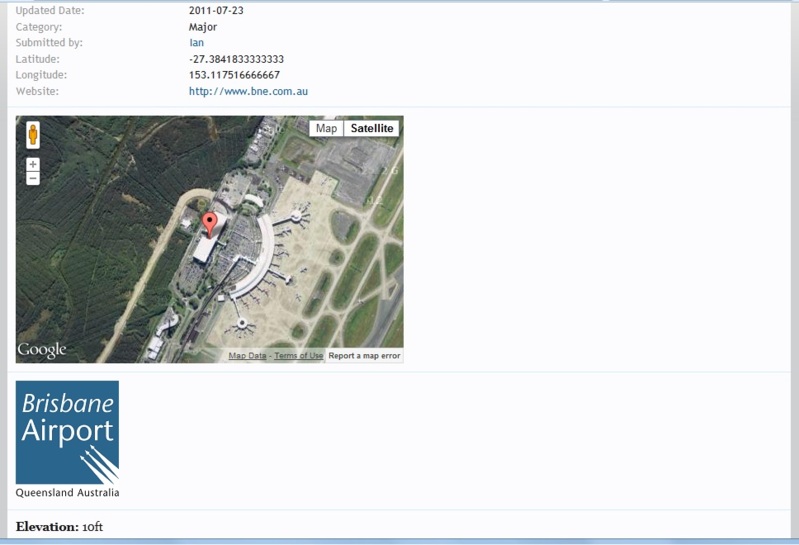
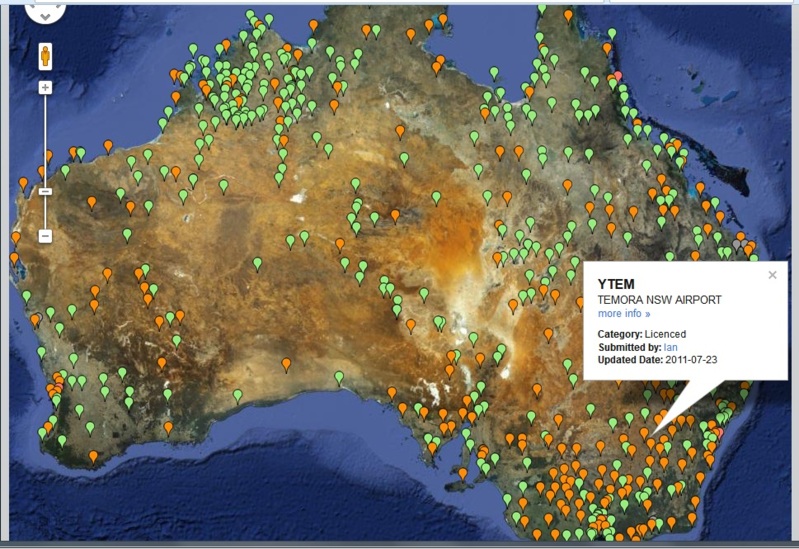
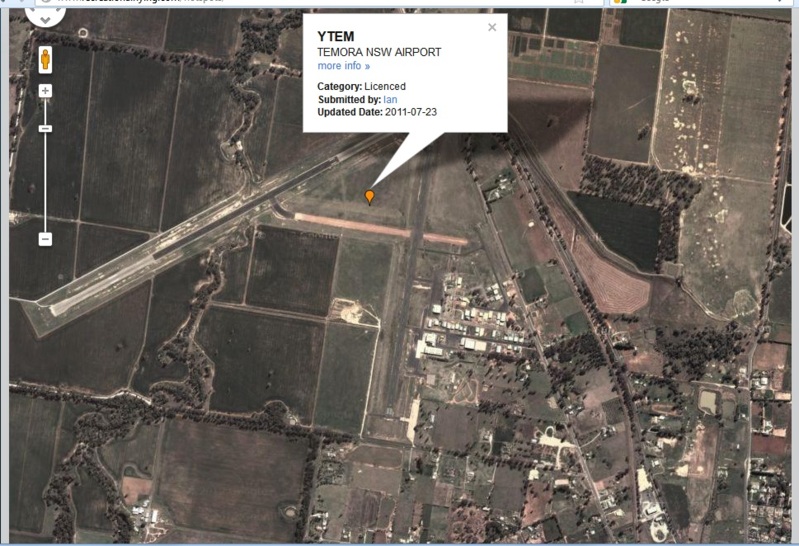
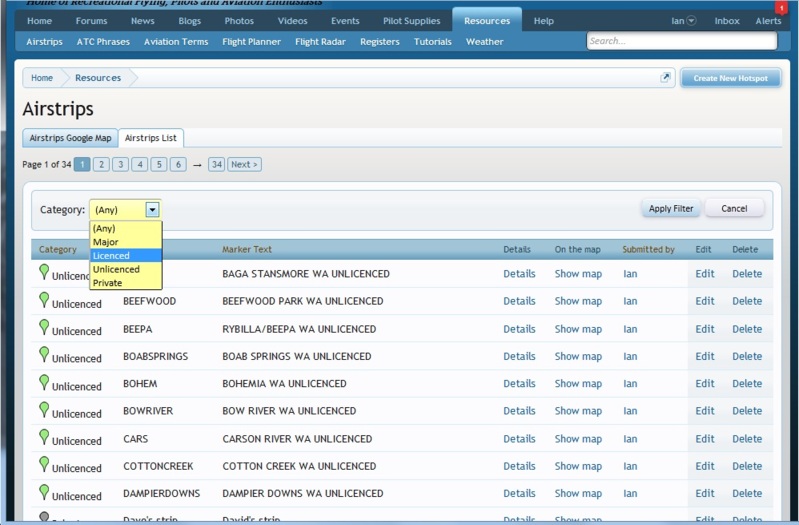
Since we moved over to the forum software that we currently use, we have had to still use the old software to enable the Recreational Flying Google Earth Airstrips. This has meant that we didn't have proper integration with the forums, users and other pertinent information. NOW, we have a fully integrated Google Earth Airstrips section for you to use when trying to see what an Airstrip looks like from the air, or obtain more information about an airstrip when you need to.
You can:
- Add your own airstrips whether they are Major, Licensed, Unlicensed or even Private
- Edit existing airstrips with more up to date information
- Add all kinds of information to any airstrip like places to stay, places to visit, contact information for fuel etc etc etc...you can add anything to tell others about the airstrip
- You can add a link in an airstrip to a forum thread where you may be discussing all kinds of helpful information, even information on aspects of safety regarding the airstrip
- You can add a link in the airstrip to say for example the ERSA page, or a website for the airstrip etc
- You can add an image to the airstrip...perhaps what the club rooms look like etc
The Recreational Flying Google Earth Airstrip Section is an extremely powerful tool for you to use, keep updated, add more information...even "Hey forumites, if you land here give me a ring on x and we can catch up".

To access the Airstrips Section, simply go to the "Resources" section on the main menu and select "Airstrips" from there.
PLEASE NOTE: I urgently welcome any feedback that you can give...any areas where you think it can be improved etc...as that is the only way that I can make it even more powerful and specific for you to use...plus I have to give the "OK" that it has been tested and working properly as soon as possible
Enjoy...
- Add your own airstrips whether they are Major, Licensed, Unlicensed or even Private
-
You guys would not believe what is involved in running this site and trying to bring to you as much as possible...I am currently engulfed in a major brawl with the developer who was creating the new Google Earth Airstrip section. At one point after I had paid him nearly $300, which was his quote, he wasn't going to provide anything till I both agreed to not have all the features in it that we need here, and that I pay him another $180. So extortion of more money, less features, no refund and no product. This fight has been going on for many days now with hundreds of emails and so much so, that I had to bring it out into the public domain on the development web site where it ended up having 6 pages of posts, and me having to stay up all night etc, just to get something worked out. The many other posters there were saying Shame on him to the point where he had to publicly come out and say that he would finish the job for the price quoted. Since then, again he has been trying to get out of including all the features in it and saying he owns the work that I have paid him to do.
So, the point I am making is that a hell of a lot of work goes on every single day behind the scenes to bring you the absolute BEST resource in recreational aviation possible. But, this work can't stop if Recreational Flying is to continue to provide you with great features that you enjoy and why you come here...the more that come here the more help that the site can provide.
-
 2
2
-
-
[medio=full]240[/medio]
-
One format that can be used to improve the Flight Planner is to integrate it with the Recreational Flying Google Map Airstrip application on the site, the weather lookup etc and use a form entry layout something like:
The thing I need to know is if I fork out the money to get all this developed, would it be used given all the other flight planning opportunities that we all have today?
-
As all registered users here at Recreational Flying would know, we have in the "Resources" section a free Flight Planning tool that registered users can use to get an idea of a plan between a departure and destination airstrip. It shows a side elevation to get min heights and more and has been very useful to many users in the past.
With the proliferation of Flight Planning apps, tools, etc that you can use on your phones, tablet pc, internet etc, I was wondering whether you see an opportunity in improving the Recreational Flying Flight Planner here on the site or whether it just isn't worth the effort any more given what is available out there for you to use.
I think the question comes down to whether you would use a tool, if it suited your needs, on this site to plan your flight or whether you would use something else that is more convenient in the way you do and when and how you do your flight planning.
Do I spend the money and update the flight planner on this site to something much better or not?
-
Welcome Mate...we have a RFDS King Air Pilot on here and everyone has to start somewhere so hope the site helps in some way
-
I have just been notified that Microair are offering 30% off this month on their units...it is on the list to find out more today
-
It has just been re-installed...you can always see who is in the chat room by having a look at the right column of the forums and in the box that shows who is currently online, there is also a list of users that are currently in the chat room as well
-
Jump in to the chat room and enhance your addiction
-
No, that is because Apple don't allow "Flash" applications to be used on the Ipad...but hey, it works on AndroidNot working on ipad-
2
-
-
Hi All
The next enhancement, the Recreational Flying Video/Audio/Text Chat Room, is NOW open for you to use.
PLEASE NOTE: currently it has had some preliminary testing however please provide any feedback you can in its use...any problems, anything that doesn't look right, what should be there or not there etc etc etc...any feedback you can to its overall use and functionality would be greatly appreciated.
To access the Chat Room, simply click "Chat Room" that is displayed as a sub menu item of the main Forums menu tab. The Chat Room will then load in a separate window. If you do not have Adobe Flash installed on your PC, you should be prompted to install it.
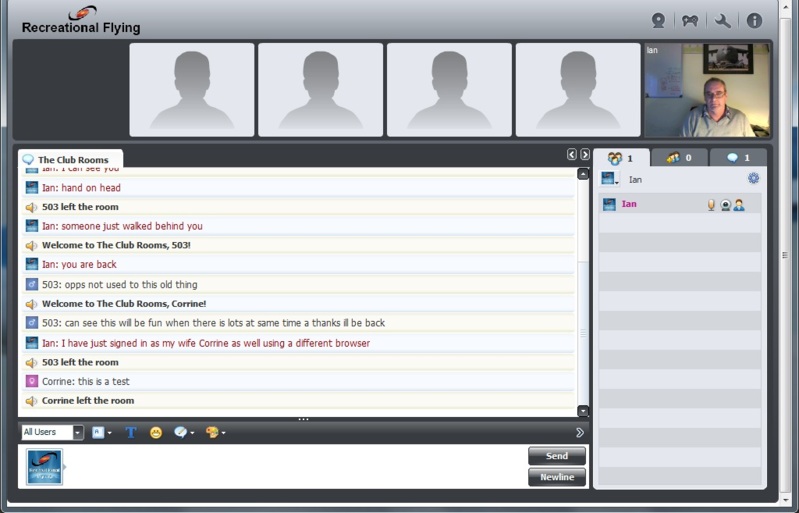
When the Chat Room opens, the first page you see is a list of Chat Rooms. Currently I have only created one called "The Club Rooms" for initial testing and general chat. As everything sorts itself out and is working ok, I will add more Chat Rooms of different topics for you to select from. So to enter the Club Rooms, simply click on it and the Chat Room opens for you to start chatting. In the right column you will see the users that are currently in there along with different parts for you to explore and familiarise yourself with what the Recreational Flying Chat Rooms offer.
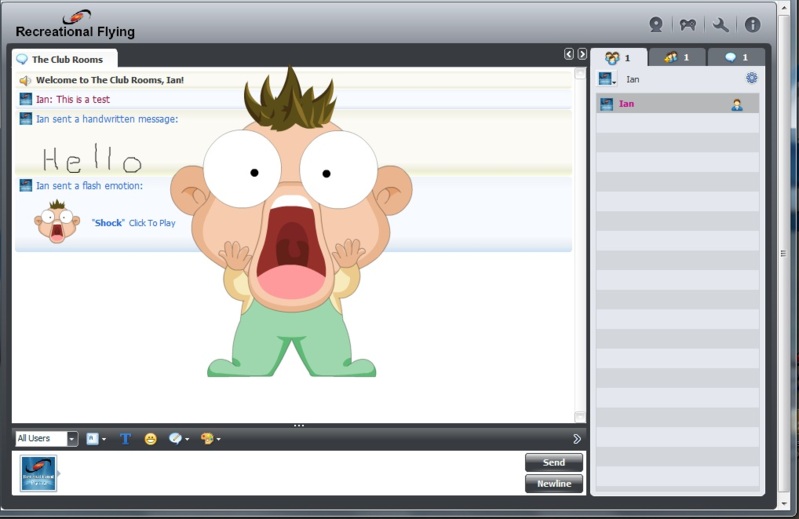
If you have a web cam, at the top there is an icon of a web cam that you can click to initiate your web cam. This will place a little icon of a web cam and microphone next to your user name in the right column. Other users can click on those icons to initiate the viewing of your web cam and to hear what you are saying. There are video games you can play, swap files, conduct private conversations, share YouTube videos, send animated emoticons to other users, send sounds and much much more...the Recreational Flying Chat Rooms are loaded with features for you to use with each other creating a great friendly and live community environment.
When browsing the forums or other pages on the site, the right column shows what other users are on the site. Included in that list now is a list of users that are currently in the Chat Rooms.
There is still some minor tweaking to do like get the interactive White Board operating and acting on whatever tweaks you think are needed to be done but I am assuming that it will all be settled in and working as you want during the next couple of days of its use...so enjoy, and please remember to give any feedback you can to make it better.
-
Don't worry all, the Chat Room is almost up and running...currently doing some extensive testing and checking the integration and so on...so very soon now you will all be able to talk all you like, and if your fingers get tired of typing you can turn your webcam on and just sit there and talk to those in the chat room that don't have a web cam and have to continue typing
-
-
Speed of sound is 1,236 kilometres per hour approx as it is dependant on air temperature
-
...and his mobile phone so he can ring before dropping in :peepwall:
-
1
-
-
WOW...That guy has talent +
-
No, the "Last Seen" field in the database updates itself each time you come back to the siteIan is it possible to track changes to the "last seen" function to see just how bad it has really got?

Video: A Pilot must have a Memory... Weedhopper Ultralight Flying
in Aviation Videos
Posted
Can it be folded up and put in the back of a Ford Wagon...if so, where do I sign up for one